
MiniShorts
1 Hour Ago
71 MB
1.15.0
Android 5.0 and above
10M+

Description
Finding enough time to watch a full movie or a long television series is not always easy. Sometimes you only have a few minutes during a break while travelling or before going to bed. MiniShorts APK is designed around this type of viewing, bringing short-form entertainment to mobile users who prefer stories that are easier to fit into a busy day.
It is an entertainment streaming app developed by NOVENTURE PTE. LTD. It gives users access to short movies, TV-style series, and content from different genres. Instead of limiting users to one type of story, the app provides a growing collection that can be explored according to individual interests. The platform also supports HD streaming and lets viewers save titles they want to return to later.
For Android users, this streaming app provides another way to install the application when an APK file is required. However, users should always check the source and version of an APK before installing it outside an official app store.
What Is MiniShorts APK?
MiniShorts Android is the Android installation package for the MiniShorts entertainment application. The app works as a mobile streaming platform where viewers can discover short movies, episodic stories, and other video entertainment.
Its main appeal is convenience. Rather than requiring viewers to commit to long episodes, the short-video approach makes it possible to follow stories in smaller sessions. This can be particularly useful for people who mainly watch entertainment on their phones.
The platform covers different genres, so viewers are not restricted to a single category. New releases are also added over time, giving returning users more titles to explore. The official Google Play listing currently shows more than one million downloads and classifies the application as Teen.
Why MiniShorts App Feels Different From Traditional Streaming
Traditional streaming platforms often focus on movies that last well over an hour or series with long episodes. MiniShorts takes a more mobile-friendly approach by emphasizing shorter entertainment.
This changes how people can use the app. You do not necessarily need to set aside an entire evening to start watching something. A shorter episode can fit into spare moments throughout the day.
The vertical, mobile-focused experience can also feel more natural to viewers who already spend much of their entertainment time on a smartphone.
Entertainment Available Inside MiniShorts Download APK
The Mini Shorts app library is built around variety rather than a single style of entertainment. Users can browse different genres and look for stories that suit their current mood.
Depending on the current library and region, viewers may come across:
- Short movies
- Mini TV series
- Episodic dramas
- Romance stories
- Dramatic storylines
- Short-form entertainment
- Newly released content
- Stories from different genres
The available catalog can change as content is added or updated. Therefore, the selection you see after installing the app may be different from what another user sees at a different time or in another region.
Features That Improve the MiniShorts APK Experience
Short and Convenient Episodes
The MiniShorts streaming app is suitable for viewers who enjoy following stories without sitting through a long traditional episode. Short-form viewing makes it easier to watch during small periods of free time.
HD Video Streaming
The application supports high-definition streaming for compatible content. A suitable internet connection and device can help provide clearer video and smoother playback.
Different Content Genres
Users can explore multiple genres instead of repeatedly watching the same type of story. This makes it easier to switch between different themes according to personal preference.
Favorites and Playlists
Interesting titles do not have to be searched for every time. MiniShorts provides options for creating playlists and saving favorite content for easier access later.
Regular Content Additions
The library is not intended to remain unchanged. New releases are added over time, which gives regular viewers additional stories to discover.
Mobile-Friendly Viewing
The interface is designed around watching content from a smartphone. Users can browse, select a title, and continue watching without relying on a television or desktop computer.
Simple Content Discovery
Different genres help organize the available entertainment. This can reduce the time spent searching when you simply want to find something interesting and start watching.
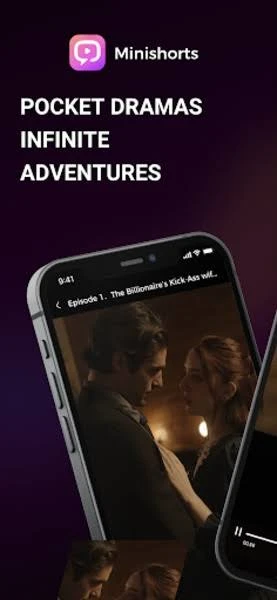
How to Download MiniShorts Streaming APK on Android?
The safest option is normally to check whether this streaming app is available through Google Play on your device. If you specifically need an APK, take extra care when selecting the download source.
A typical APK installation works like this:
- Download the APK file from a source you trust.
- Check that the application name and developer information are correct.
- Open the downloaded APK file.
- Android may ask for permission to install apps from that source.
- Allow the required installation permission only if you trust the file.
- Select Install.
- Wait for Android to complete the installation.
- Open MiniShorts from your app screen.
Avoid installing a file if its developer information, file name, requested permissions, or source appears suspicious.
Getting Started After Installating Mini Shorts App
Opening a streaming app for the first time can be more enjoyable if you spend a little time understanding its layout before starting a series.
Begin by checking the home screen and available categories. Browse a few genres to understand what type of content MiniShorts currently offers. When you find an interesting story, open its information page before starting playback.
You can also use favorites or playlist features for titles you want to watch later. This saves you from having to search for the same content again.
A Better Way to Discover Something Worth Watching
A large entertainment library is useful only when you can find content that matches your interests. Instead of randomly opening every title, start with the genre that you normally enjoy.
Watch the beginning of a story before committing to more episodes. If it catches your attention, save it to your favorites or playlist. If it does not, return to the library and explore another category.
This simple approach can make MiniShorts feel less like endless browsing and more like a personal collection of stories you actually want to follow.
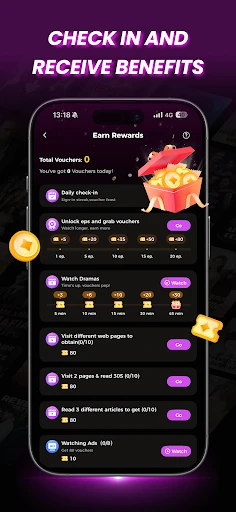
Free Viewing, Coins, and In-App Purchases
Downloading an entertainment app for free does not always mean every piece of content inside it is free.
Therefore, this Android app includes in-app purchases. Its App Store listing, for example, currently shows coin packages and subscription options. Prices and available packages can vary by country, platform, and time.
Users should therefore check the purchase screen carefully before paying for anything. Look at what a coin package or subscription unlocks, how much it costs, and whether a subscription renews automatically.
Do not assume that every episode will remain freely accessible simply because the application itself can be installed without an upfront purchase.
Things to Check Before Paying for Content
Before purchasing coins or choosing a subscription, review a few important details:
- Check the exact price displayed in your region.
- See what the selected package actually provides.
- Check whether individual episodes require coins.
- Review any subscription renewal conditions.
- Understand how to cancel a recurring subscription.
- Avoid buying a large package before trying the app.
- Use the payment controls available through your official app store account.
Taking a minute to review these details can prevent unexpected spending later.
Internet Connection and Streaming Quality
Video streaming depends heavily on the quality of your internet connection. HD playback normally requires more data and a more stable connection than lower-quality video.
If MiniShorts repeatedly pauses or buffers, try switching between Wi-Fi and mobile data. Closing unnecessary background applications may also help on devices with limited memory.
Users with limited mobile data packages should pay attention to how much data they consume during longer viewing sessions. HD streaming can use considerably more data than basic web browsing.
Privacy and App Permissions Inside the App
According to the current Android data-safety information supplied by the developer, the MiniShorts Free App may collect categories including personal information, photos and videos, and device or other identifiers. The listing says data is encrypted in transit and that users can request data deletion.
Review the permissions requested on your own device rather than automatically accepting everything. An APK obtained outside Google Play deserves additional attention because Android’s normal store-based checks may not apply in the same way.
Common MiniShorts Problems and Simple Checks
Video Keeps Buffering
A weak or unstable connection is often the first thing to check. Switch networks, restart your connection, or try reducing other internet activity.
App Does Not Install
Make sure your device has enough storage and that the APK is compatible with your Android version. A damaged or incomplete APK file may also fail during installation.
App Closes Unexpectedly
Restart the app and close unnecessary background applications. Updating to a newer official version may resolve bugs present in an older release.
Content Is Not Available
The available library may depend on factors such as region, licensing, app version, or changes made by the service. A title shown elsewhere is not necessarily available to every user.
Purchase Does Not Appear
Check your payment status and account first. Avoid immediately repeating a purchase if the first transaction is still processing.
More Benefits
- Suitable for short entertainment sessions.
- Includes different content genres.
- Supports HD video streaming.
- Offers short movies and episodic series.
- Lets users save favorite titles.
- Playlist tools make content easier to revisit.
- New entertainment can be added over time.
- Designed with smartphone viewing in mind.
- Available for Android and iPhone users through their respective official stores.
- Simple option for viewers who prefer shorter stories.
Areas Users Should Consider
The Android app will not necessarily suit every viewer. Some content may require coins, purchases, or subscriptions rather than being completely free. Users who watch for long periods should also consider mobile data consumption.
The short-episode format is another matter of preference. Someone who enjoys traditional hour-long television episodes may prefer a conventional streaming service, while viewers who like quick stories may find MiniShorts more convenient.
Users installing an APK manually also carry the additional responsibility of checking where the file came from.
Who May Enjoy MiniShorts APK?
The app may be worth exploring if you:
- Prefer short stories over very long episodes.
- Mainly watch videos from your smartphone.
- Enjoy discovering different drama genres.
- Want entertainment for short breaks.
- Like following episodic stories.
- Prefer saving interesting titles for later.
- Do not mind optional paid content or in-app purchases.
It may be less suitable if you only want completely free entertainment or mainly prefer full-length films and traditional television episodes.
MiniShorts on Android and iPhone
The free streaming app is not limited to APK users. The application is officially listed for Android through Google Play and for iPhone through Apple’s App Store. The iPhone version requires iOS 15.0 or later according to its current listing.
The exact features, prices, app size, and available content may change between versions and platforms. Users should therefore check the current listing for their own device instead of relying on old specifications.
Is MiniShorts APK Safe to Install?
MiniShorts itself has an official Google Play listing under NOVENTURE PTE. LTD. If you choose to install an APK instead, verify that the package has not been modified and that it comes from a trustworthy source.
Avoid files advertised as “premium unlocked,” “unlimited coins,” or modified versions that claim to bypass purchases. Modified APKs can introduce privacy, security, stability, or account risks.
For most users, the official app store version is the simpler option when it is available.
Final Thoughts
In conclusion, MiniShorts APK offers a different approach to mobile streaming by focusing on entertainment that can be enjoyed in shorter sessions. Its mix of short movies, episodic stories, multiple genres, HD streaming, favorites, and playlists makes it particularly suited to people who prefer watching from a smartphone.
The biggest thing to understand before using MiniShorts is that installation and content access are separate matters. Although the app can be downloaded for free through official stores, it contains in-app purchases, and access to some entertainment may involve coins or subscriptions.
FAQs
Language and subtitle options can vary between individual titles. Check the playback controls to see what options are available.
Check the home page, recommendation sections, and recently added categories regularly to discover new releases.
The app may save viewing activity when you are signed in, making it easier to continue a story from where you stopped.
Account access across multiple devices may depend on the current login and account policies. Check the app settings before switching devices.
Some content may be accessible immediately, while account requirements can depend on the app version and the feature you want to use.